Task Board
The task board is a kanban view for managing work. Columns represent status states. Drag tasks between columns to change their status.
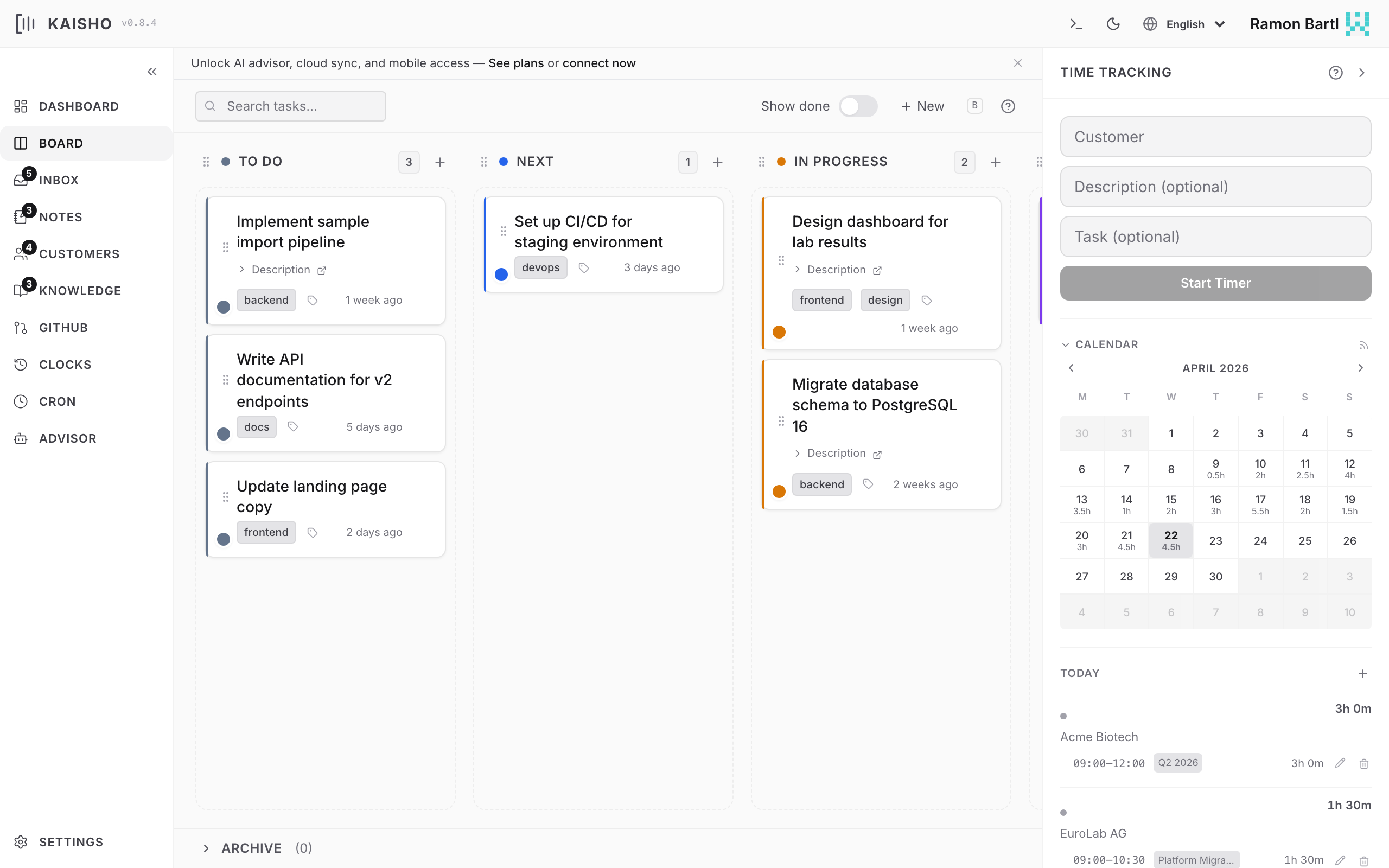
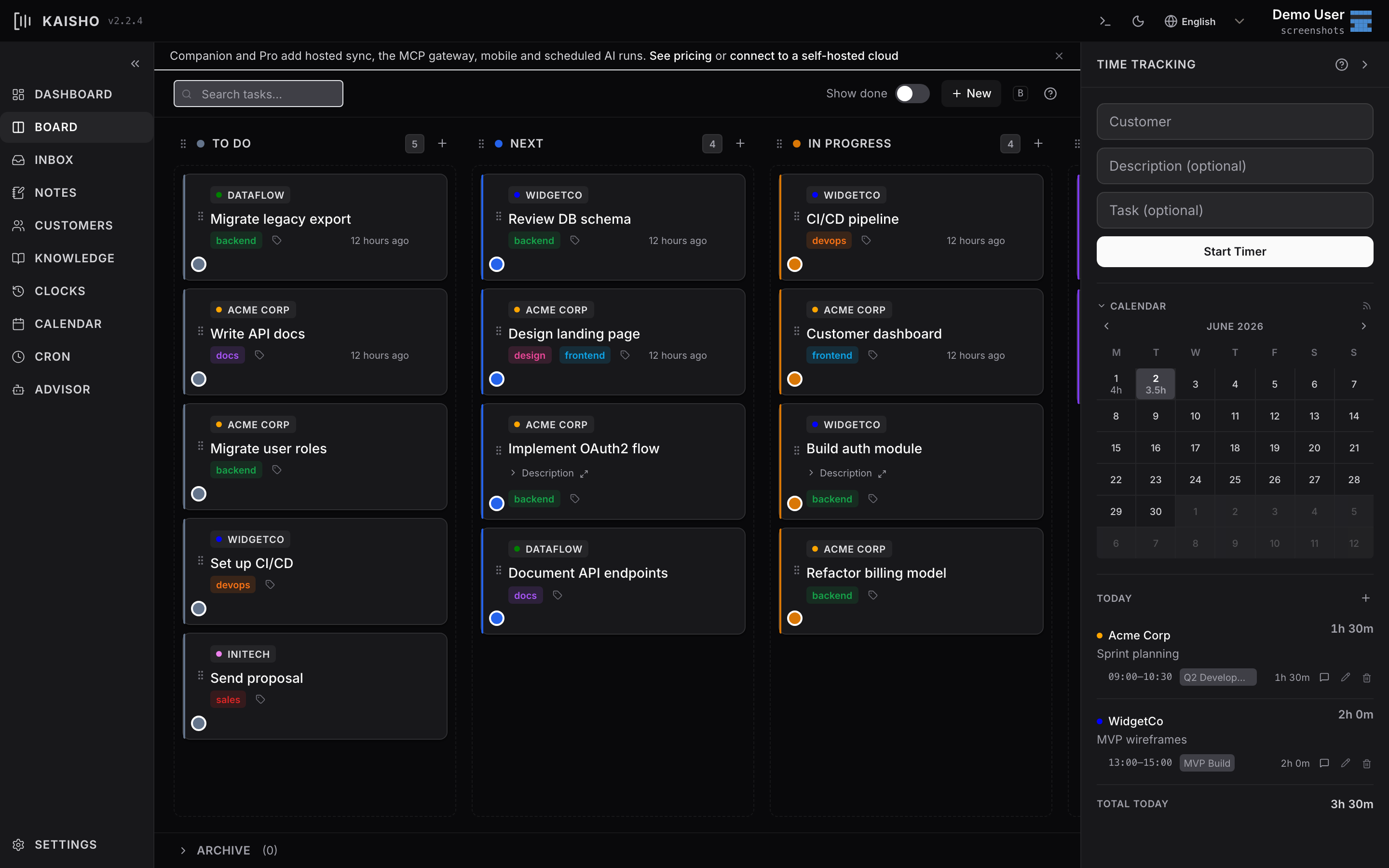
Board Layout
Each column corresponds to a task state (TODO, IN-PROGRESS, DONE, etc.). You define which states exist and their order in Settings.
Tasks appear as cards showing:
- Title
- Customer (color-coded)
- Tags as pills
- GitHub issue link (if set)
Creating Tasks
Click Add Task in the board toolbar. Fill in customer, title, and optionally tags, description, and GitHub URL.
Moving Tasks
Drag a card to another column in the UI. From the CLI:
Filtering
The board toolbar has a search bar with structured filtering:
- Free text matches against title and description
customer:Acmefilters by customer nametag:urgentfilters by tagstatus:TODOfilters by column
Multiple filters combine with AND.
Tags
Tags are colored labels you attach to tasks. Define tags and their colors in Settings > Tags & Types.
# Set tags (replaces existing)
kai task tag abc123 urgent backend

# Add a tag (prefix with +)
kai task tag abc123 +frontend

# Remove a tag (prefix with -)
kai task tag abc123 -urgent
Task Details
Click a task card to expand it. The detail view shows:
- Full description (Markdown rendered)
- Customer and status
- Tags (editable)
- GitHub issue link (clickable)
- Creation date
All fields are editable inline.
Archive
Done and cancelled tasks can be archived. Archived tasks move out of the board into a separate archive view.
In the UI, archived tasks are accessible from the Archive tab in the board view. You can restore them with Unarchive.
Reordering
Drag tasks within a column to set priority order. The order persists across sessions.