Knowledge Base
The knowledge base (KB) is a file browser for your reference material: documentation, runbooks, meeting notes, research. It supports Markdown, org-mode, plain text, reStructuredText, and PDF files.
How metadata works
Since 1.5.0
KB metadata lives in a single index file at <profile>/kb_meta.yaml. That file is the only place Kaisho writes metadata. Your KB files on disk are never modified: no frontmatter is added, removed, or rewritten by the app. You can edit, sync, or version them with any other tool without conflicts.
The index stores one record per file with these fields:
| Field | Description |
|---|---|
label | Source label (e.g. Personal) |
path | Path within that source |
hash | md5 of the file contents |
indexed_at | Last time the hash was refreshed |
title | Display title |
tags | Free-text tag list |
created | Creation date (ISO) |
customer | Linked customer name |
task_id | Linked task ID |
type | User-defined type (e.g. research) |
status | active, draft, archived, etc. |
summary | Cached summary text |
summary_model | Model that produced the summary |
summary_hash | Content hash at summarization time |
summary_at | When the summary was generated |
The file is YAML, sorted by (label, path), written atomically via tmp-and-replace so it stays diff-friendly.
KB sources
The KB reads from one or more directories configured in Settings > Knowledge Base Sources. Each source has a label (shown in the sidebar) and a path on disk.
Default source: ~/.kaisho/profiles/<profile>/knowledge/
# settings.yaml
kb_sources:
  - label: Personal
    path: ~/.kaisho/profiles/work/knowledge
  - label: Company Docs
    path: ~/Documents/company-wiki
Reindexing
The reindex pipeline keeps the metadata index aligned with what is on disk. It hashes files (cached by mtime and size), reattaches metadata when a file is renamed (a missing path with a uniquely matching hash is treated as a rename), and prunes records for files that have disappeared.
Reindex never modifies KB files. It only touches kb_meta.yaml.
Tags
Tags are free-text and per file. They are stored only in the index and never written into the file itself. The MetadataCard renders them as colored chips. Each tag string is mapped deterministically to a hue from a small palette, so the same tag always shows the same color across the app.
The tag autocomplete in the editor draws from the union of all known tags across every source.
Filtering by tag
Click any tag chip to toggle it in the active filter set. Multiple filters combine with AND semantics: a file must carry every active tag to be visible. Active filters appear as a chip row at the top of the sidebar with an X to remove individual tags or a Clear all action. The filter set is persisted in localStorage across reloads.
Unified filter and search
The sidebar header has a single filter input that drives both metadata narrowing and content search. It accepts scoped key:value tokens and free text:
customer:acme— only files whose frontmattercustomermatches.task:onboarding-flow— only files linked to a specific task id.type:guide— only files of a given frontmattertype.tag:wip— files carrying that tag.filename:ansi— narrow by filename / path substring.- Anything outside a
key:valuetoken is treated as a content search query and runs on the backend, scoped to the chip-narrowed subset.
Tokens AND together. Quote values with double quotes to allow spaces, e.g. customer:"Acme Corp". Once a token is recognised and followed by a space (or selected from autocomplete) it becomes a removable chip with an X. Click the X or press Backspace at the start of the input to drop the rightmost chip.
Autocomplete: type customer: to open a popover with available customers (same for task:, tag:, type:). ArrowUp/Down to navigate, Enter to pick. Selecting a value with whitespace auto-quotes it.
Recent view
The clock icon in the panel toolbar flips the sidebar into a flat list of the 30 most recently modified files. The list honours any active filters and the hidden toggle, so you can combine customer:acme with the recent view to see only that customer's latest entries. Useful for quickly finding a note you just added without remembering where in the tree it lives.
Hidden files
The eye icon next to the funnel toggles hidden files. It defaults to off and hides:
- Any path containing a dot-prefixed segment such as
.obsidian/,.git/, or.trash/. These are also blocked server-side and never reach the UI regardless of the toggle. - Files whose name starts with
_. - Files whose metadata has
status: archived.
The MetadataCard
The MetadataCard replaces the old YAML frontmatter card and sits above the rendered body for Markdown and other text files, and above the iframe for PDFs (so PDFs are taggable too).
By default it is collapsed to a thin row showing a chevron, the tag chips, and small pills for customer, task, and status. Click the chevron to expand. Click the pencil to enter edit mode, which exposes:
- A title input
- A TagPicker with autocomplete
- A customer autocomplete drawn from
useCustomers - A task autocomplete drawn from
useTasks(displays the task title, stores the task ID) - Type and status autocompletes built from existing values across the KB plus common defaults like
active,draft,archived,in-progress,note,reference,research,guide - A created-date input
Summaries
Each file can carry a cached AI-generated summary. The summarizer sends the file contents to the configured advisor model, falling back to the cron model and finally to kaisho:advisor. It uses a 250-word system prompt and truncates files at 40000 characters with a marker.
The result is stored in the index, keyed by the file content hash. When the file changes the cached summary is flagged as stale.
Click the Sparkles button in the panel toolbar. A popover overlay opens (the file stays in view) and shows the model name, a Cached or Stale badge, and three actions: Regenerate (force a fresh run), Trash (drop the cache), and Move to inbox (with an editable headline).
Migrating frontmatter
If you used earlier versions of Kaisho that wrote YAML frontmatter into your .md files, the import command is a one-shot helper:
It reads each frontmatter block and copies the canonical keys into kb_meta.yaml. Existing index values win on conflict. Files are not modified: the frontmatter stays in place but the renderer ignores it from then on.
Browsing files
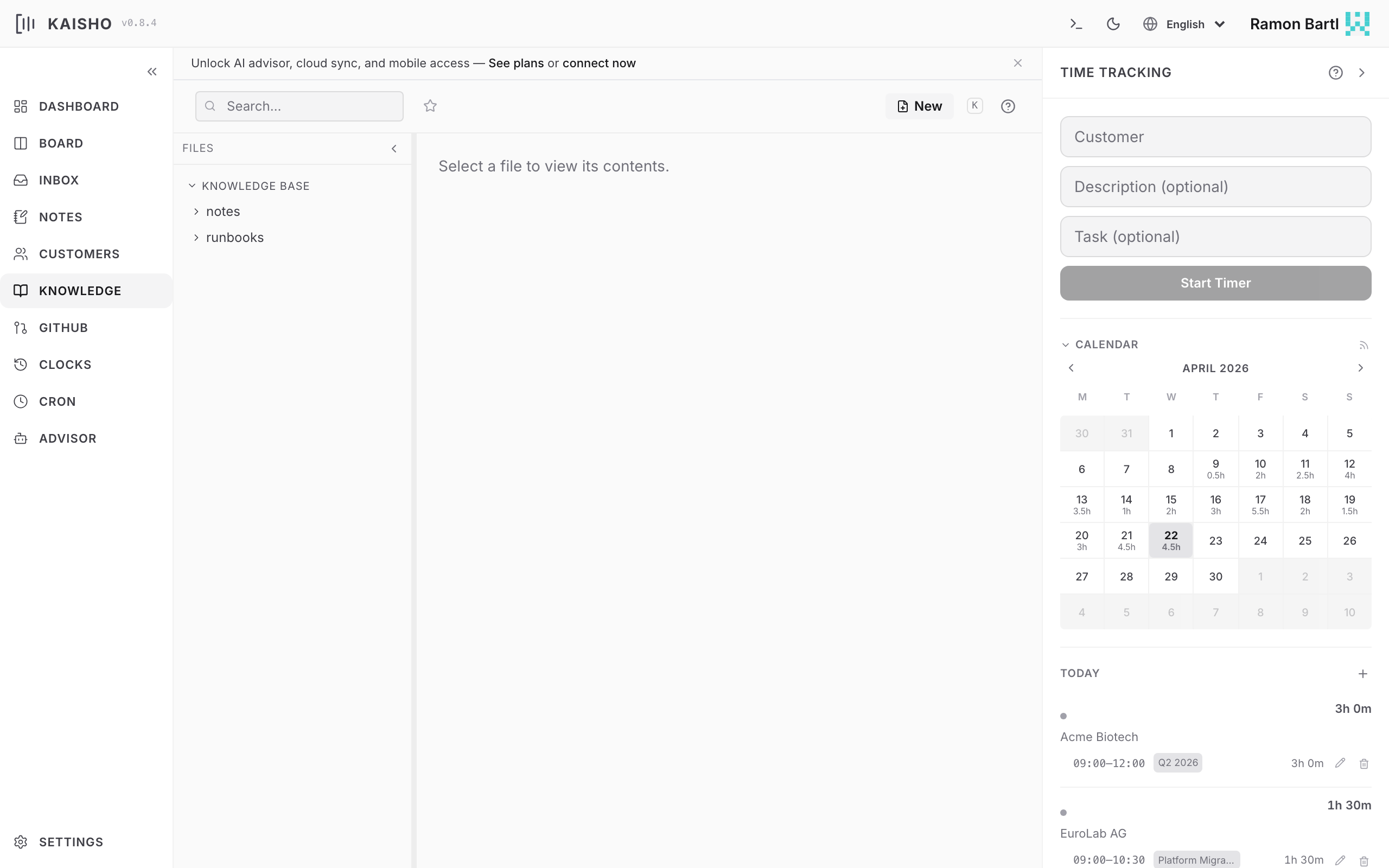
The KB has a sidebar with a folder tree and a content panel. Click a file to view it:
- Markdown renders with full formatting
- PDF opens in an inline viewer
- Other text files display as plain text
Star files to mark favorites. Toggle Show starred only to filter the tree.
Creating files
Click New File in the sidebar. Choose a source, enter a path (folders are created automatically), and write your content.
kai kb write Personal "runbooks/deploy-checklist.md" -c "# Deploy"
echo "# Deploy" | kai kb write Personal "runbooks/deploy.md"
kai kb mkdir Personal "runbooks/"
Searching
Full-text search across all KB sources. Results show the file path, matching line number, and a snippet:
PDF files are included in search results. Kaisho extracts text using pdftotext (poppler) with a fallback to pypdf. The extracted text is cached on disk at <DATA_DIR>/cache/kb_pdf/ keyed by path + mtime + size, so cold-start search is only slow the first time. Edit a PDF and the cache invalidates automatically.
Managing the cache
kai kb cache info     # show size + entry count
kai kb cache warm     # extract every PDF up-front
kai kb cache clear    # wipe the cache directory
kai kb reindex --apply (and the UI reindex button) also trigger a background warm-and-prune pass.
File operations
The tree row shows only the file name and a star toggle; rename, move/copy, and delete all live in the right-click context menu.
- Drag a file or folder onto another folder (or a source header) and choose Move here or Copy here on drop. This works within a source and across sources.
- Right-click any file or folder for a context menu: Open, Cut, Copy, Copy path, Rename, New subfolder, and Delete. Cut or Copy an item, then right-click a folder (or source header) and choose Paste here — the same move/copy semantics as drag-and-drop.
- Delete files or folders. Folder delete removes the folder and everything in it (a source root can never be deleted this way). Both use a two-click confirm.
- Edit Markdown files inline with a live preview editor
Every drag-and-drop or paste triggers a background reindex so file metadata (tags, titles) follows the moved or copied paths automatically.
The tree lists folders before files, each group sorted alphabetically.
Supported file types
| Extension | Indexed | Viewable |
|---|---|---|
.md | Yes | Rendered Markdown |
.org | Yes | Plain text |
.rst | Yes | Plain text |
.txt | Yes | Plain text |
.pdf | Yes (text extracted) | Inline PDF viewer |
.sh, .py, .js, .ts, .el, ... | Yes | Syntax-highlighted code viewer |
Code files default to a read-only Preview mode with syntax highlighting via highlight.js. Click Edit mode to switch to the plain textarea. Files without an extension are still recognised as code if they start with a #! shebang (e.g. #!/bin/bash, #!/usr/bin/env python3).
AI safety nets
Starting in 1.5.0, every advisor and cron run goes through a shared guard layer:
- The advisor cannot call destructive tools (
delete_*,rename_profile,create_skill,trigger_cron_job,execute_cli). Destructive operations are reachable only via the UI, the CLI, or an MCP client that has explicitly opted into the destructive tier. - Each advisor turn is capped at 5 total writes and 3
write_kb_filecalls. write_kb_filerefuses to overwrite an existing file unless the model passesoverwrite=true, and rejects payloads larger than 1 MB.- Before the first non-read tool call of any session, Kaisho takes an automatic snapshot (the same archive
kai backup createproduces). Snapshots are throttled to once every 10 minutes process-wide so a busy day doesn't bury the backup directory in near-identical archives. If a snapshot fails the next AI write retries instead of silently proceeding unprotected. - The
DELETE /api/knowledge/fileendpoint requires?confirm=true. The web UI sends it automatically; bare HTTP clients (or third-party MCP wrappers) cannot drop a file with a single request.