Inbox
The inbox captures anything that doesn't have a home yet: quick thoughts, emails to follow up on, leads, feature ideas. Process items later by promoting them to tasks, notes, or knowledge base entries.
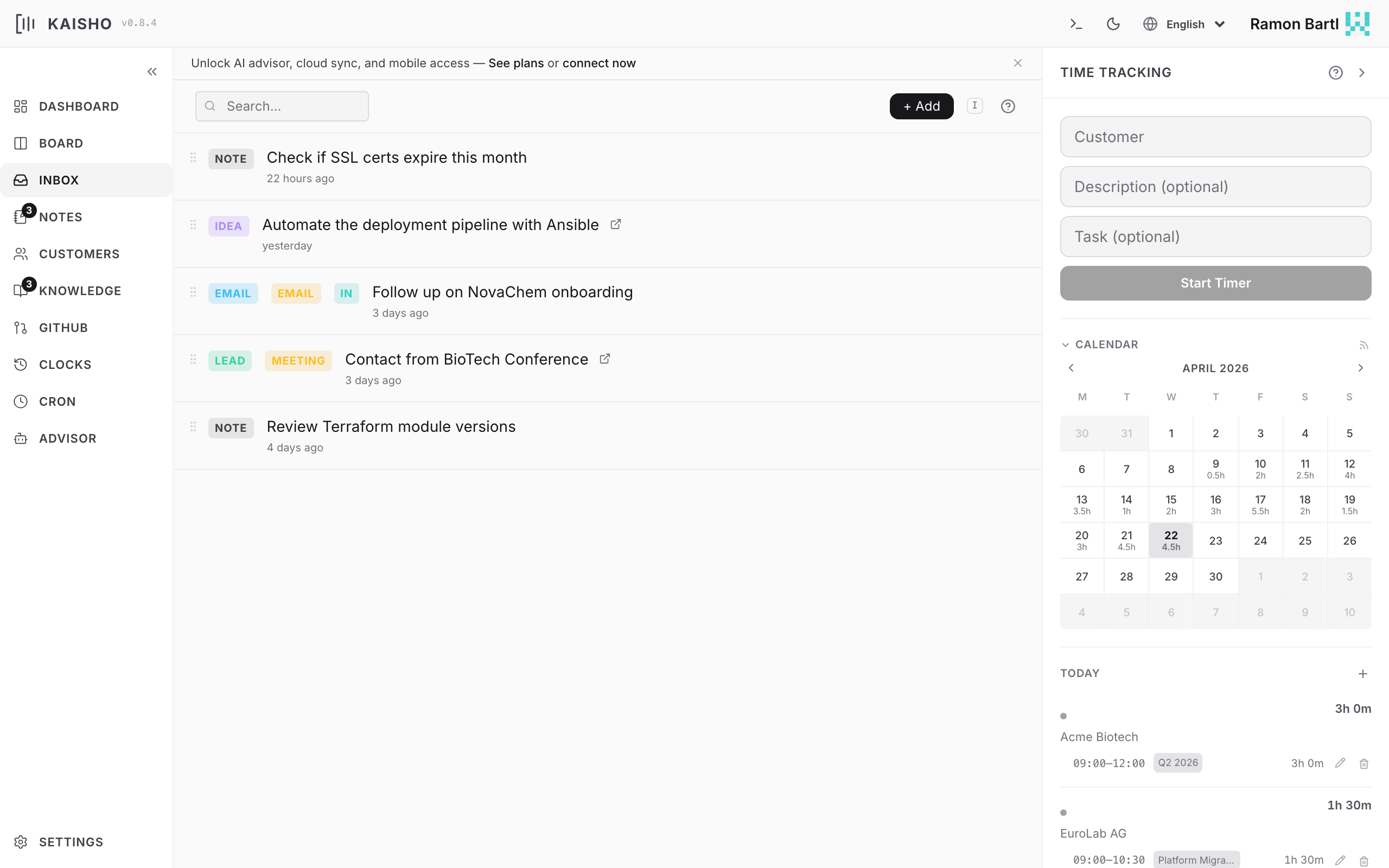
Capturing Items
Open Inbox in the sidebar. Type your thought in the input bar and press Enter.
Item Types
| Type | Use case |
|---|---|
| NOTE | General capture (default) |
| Email follow-ups | |
| LEAD | Sales leads or contacts |
| IDEA | Feature ideas or brainstorms |
| BUG | Bug reports |
| FEATURE | Feature requests |
Processing Items
The inbox is a triage station. For each item, you decide:
Promote to task. Click the promote icon or:
Move to notes. Use the move action in the UI to create a note from the item.
Move to knowledge base. Save the content as a KB file.
Delete. Remove items that are no longer relevant.
Reordering
Drag items to reorder them by priority. The order persists across sessions.
Channels and Direction
Inbox items can track where they came from:
- Channel: email, phone, chat, meeting, web
- Direction:
in(received) orout(sent)
This is useful for tracking communication history with customers.